
Digital expense reports: capture receipts and approve
Employees photograph the receipt, the expense type is recognised, and approval runs digitally. All receipts are stored in an audit-proof way.
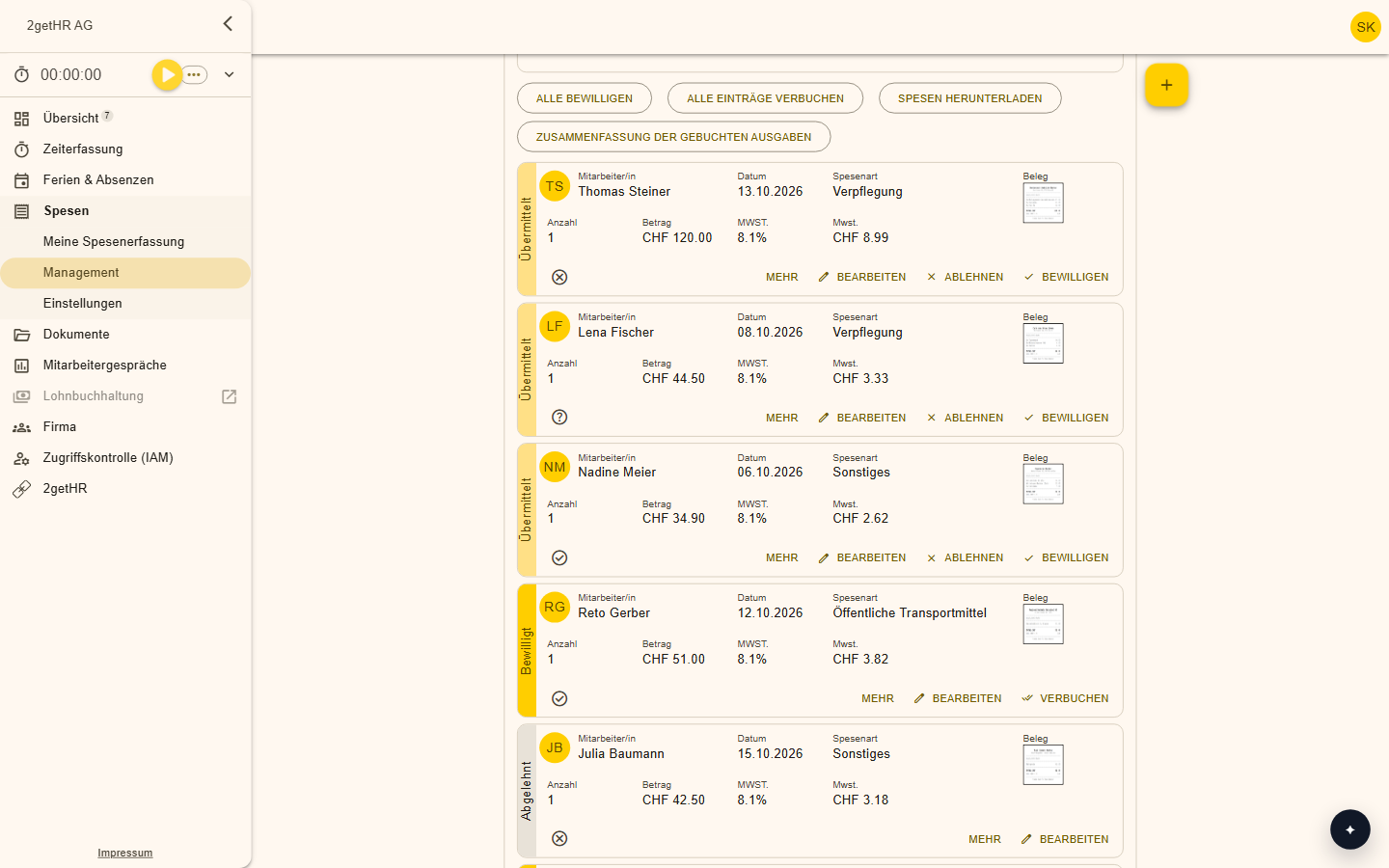
Features at a glance
Photograph the receipt
One photo is enough, and the receipt is captured.
Recognise the expense type
The expense type is recognised automatically from the receipt.
VAT and mileage
For meals you enter net amounts, and you adapt the mileage calculation to your rules.
Fixed currencies
You set a fixed currency for individual expense types.
Expenses API
An interface lets you read out expenses and transfer them to other systems.
Overview for the finance department
You submit travel costs and expenses at any time from any device, and everyone sees the status.
How it works day to day
Photograph the receipt
Take a photo, and the receipt is captured.
Choose the expense type
It is recognised or selected in a few clicks.
Approve
Managers review and approve.
Pass on
The expenses flow into payroll.
All receipts at hand
You no longer have to collect receipts in your wallet. The receipt is captured on the go, and you can throw the paper away, because everything is stored digitally and audit-proof in the system.
Frequently asked questions
Do I still need the paper receipt?
All receipts are stored digitally and audit-proof in the system. How long you have to keep them is explained in the guide to digital expense reports.
Where do the expenses go afterwards?
Into the integrated payroll, or via the interfaces into your system.
Make your team's everyday work easier
Try 2getHR free for 30 days. We're happy to help you get started, in the webinar or in training.