
Holiday planning and absences digitally at a glance
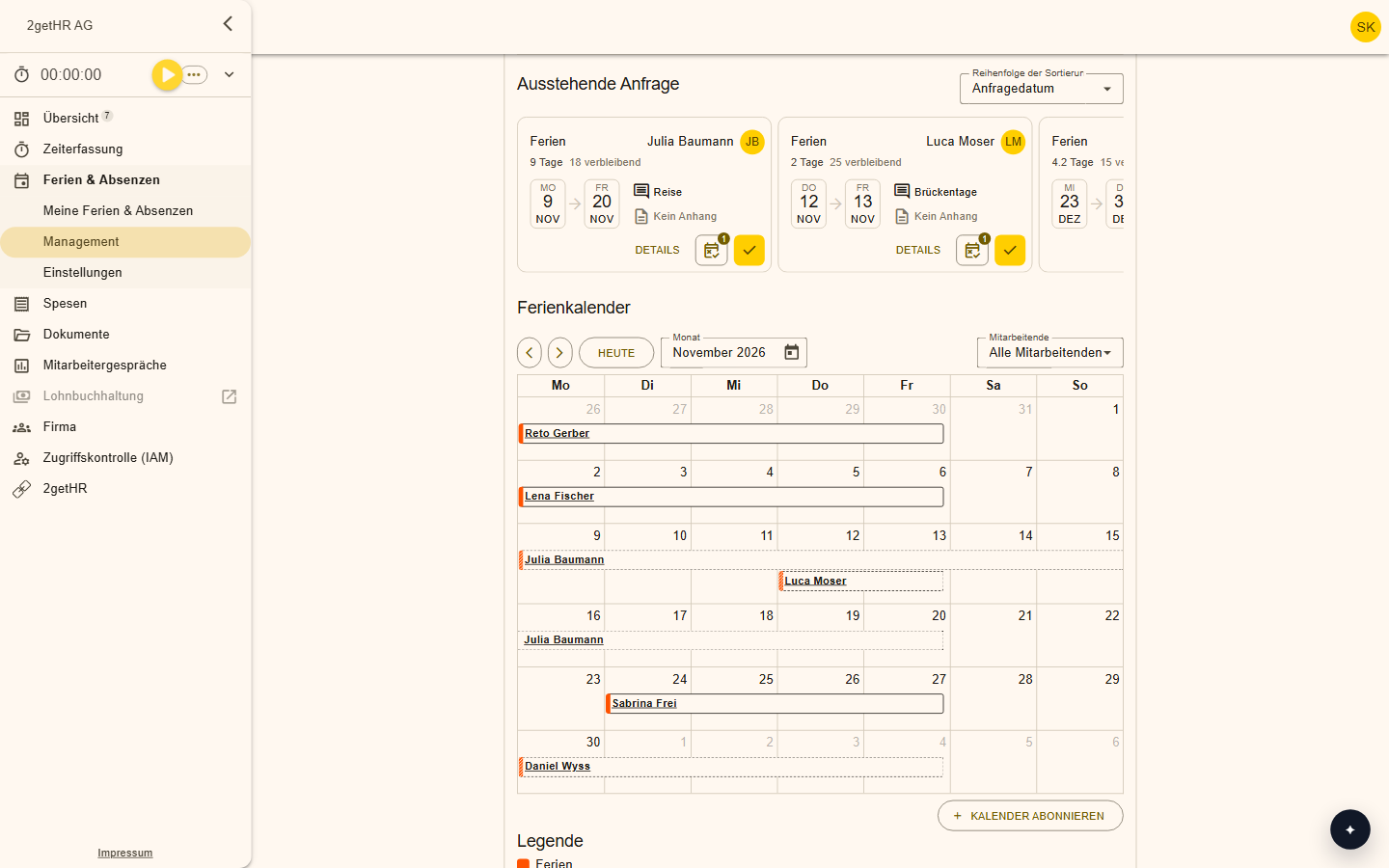
Employees request holiday and absences in a few clicks, managers approve them, and the holiday balance calculates itself. Conflict detection shows overlaps immediately.
Features at a glance
Easy to request
Request holiday and absences from anywhere, at the office, at home or on the go.
Conflict detection
Every request is checked for overlaps. A push notification tells you whether it was approved.
Shared calendar
The team sees absences and public holidays. Absences are shown in hours instead of decimals.
Several absences per day
Record several absences on the same day, plus an absence rate.
Keep public holidays up to date
You apply changes to public holidays to already approved requests at the push of a button.
Colours for every type of absence
Administrators give each type of absence its own colour so the calendar stays readable at a glance.
How it works day to day
Request
Employees submit holiday or absence requests.
Check
Conflict detection shows whether anything overlaps.
Approve
Managers confirm with one click.
Plan
In the team calendar, everyone sees who is away and when.
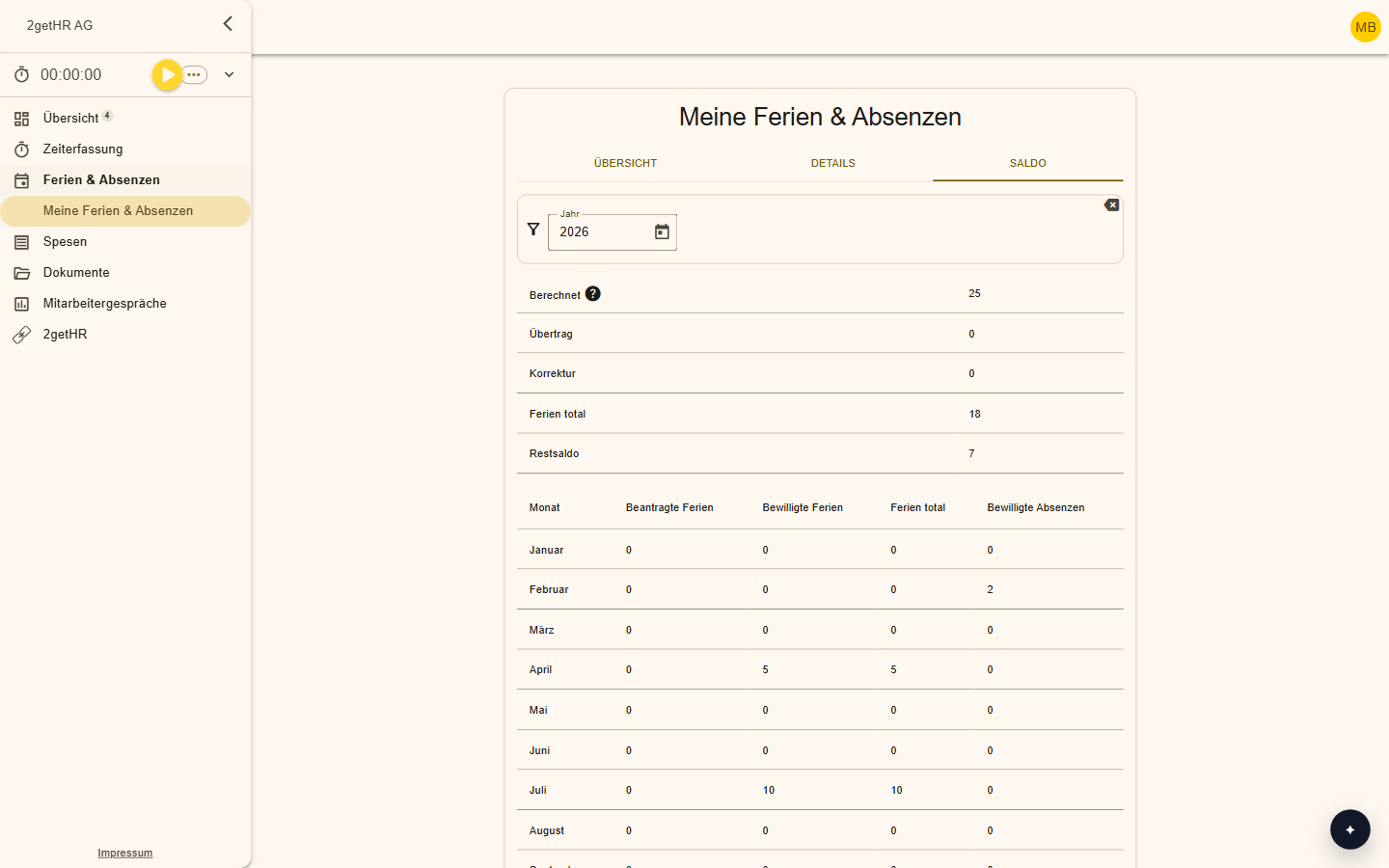
Your holiday balance always in view
You see right away how much holiday you have already taken and how much is left. Managers are notified automatically and confirm or decline.
Frequently asked questions
How is the holiday balance calculated?
Automatically from the holiday policy and the person's period of employment.
Can my colleagues see when I'm away?
Yes, in the shared calendar everyone on the team sees the absences.
Make your team's everyday work easier
Try 2getHR free for 30 days. We're happy to help you get started, in the webinar or in training.