
Digital time tracking for Swiss SMEs
With 2getHR, you log your work and project time on your phone or computer. Breaks can be recorded right away, overtime and excess working time show clearly in your balance, and you can pass the times on to bexio if needed.
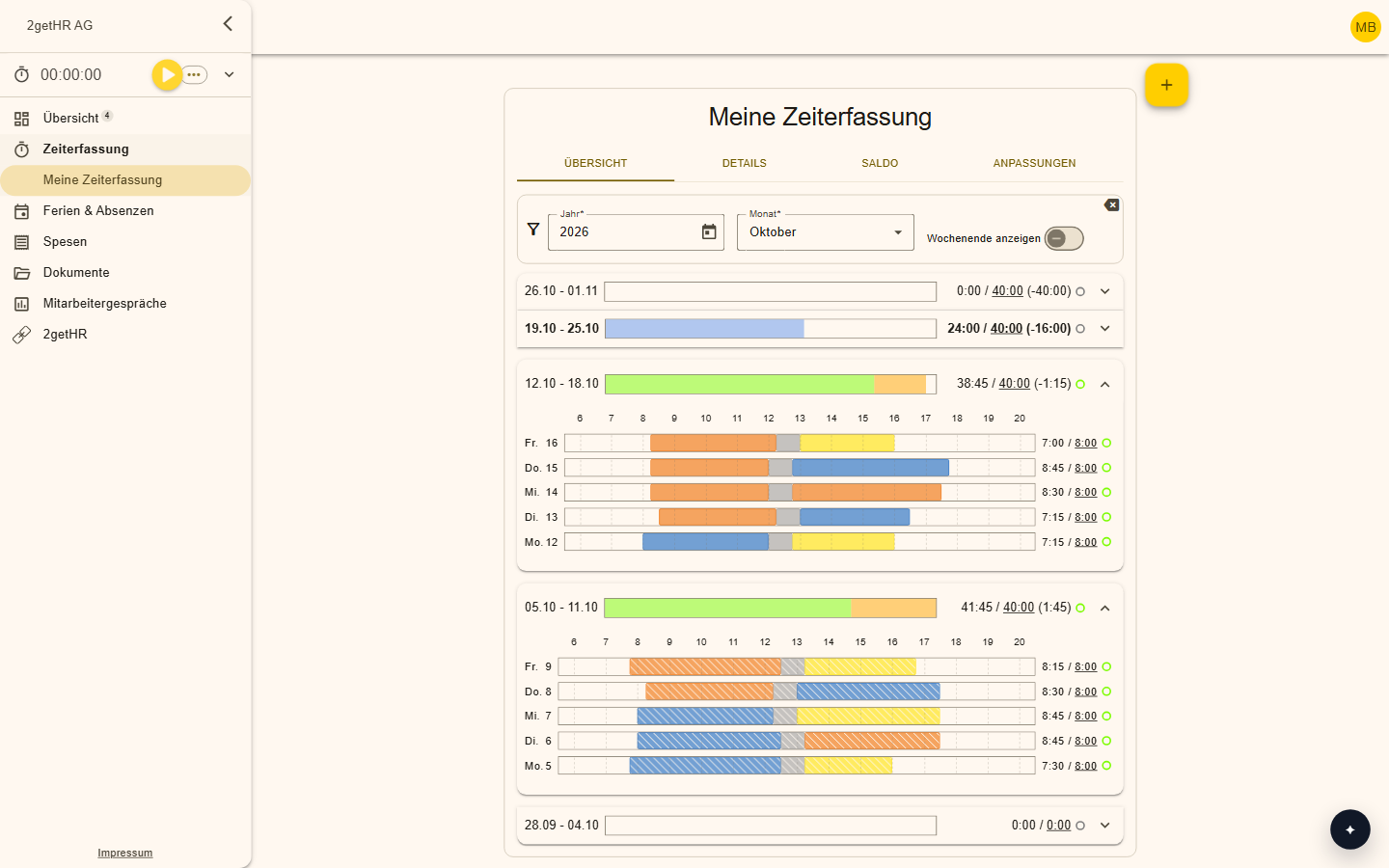
Features at a glance
Track time in several ways
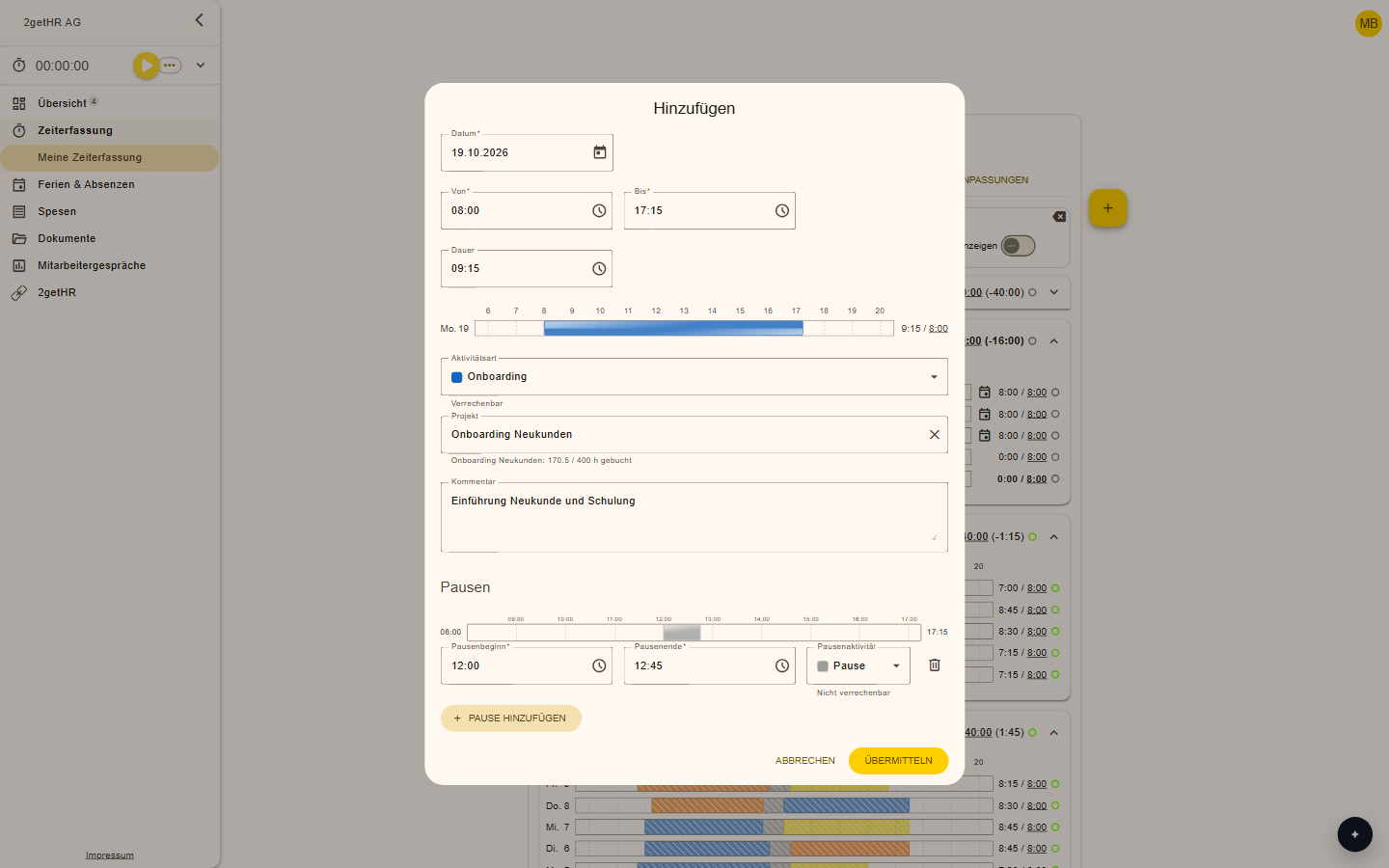
Enter the start and end times or the duration, or start the stopwatch. Add new entries directly from within an existing entry.
Record breaks
You enter breaks right alongside your time entries.
Overtime and excess working time
Both values appear separately in the balance. Weekly working time comes from the template of the person concerned.
Flexible rules for management
In the working time template, you define that managers do not need to track their time.
Billable or not
With the activity type, you decide whether time is billable. The project overview shows the hours and the share in percent.
Export balances
Export working time balances to Excel or PDF, with the columns you need.
How it works day to day
Track
Employees book their time to projects and activities.
Check
Managers see balances and deviations at a glance.
Close
At month-end, the month is locked so the numbers are right.
Pass on
If needed, the times go to connected systems such as bexio, and the balances go to payroll.
Projects and orders at a glance
With the built-in stopwatch, you assign your time to the second to orders, projects and subprojects. So you can always see where the time goes.
A month-end you'll enjoy
Anyone who tracks their time digitally saves the HR office a lot of work at month-end and creates clarity for everyone involved. Accounting, too, prepares its invoices in close coordination with project management.
Frequently asked questions
Can I use time tracking on my phone?
Yes. 2getHR runs in the browser and as an app for iPhone and Android. So you can track your time from anywhere.
How are overtime and excess working time reported?
Both values appear separately in the balance. Weekly working time comes from the person's working time template.
Works well alongside
Make your team's everyday work easier
Try 2getHR free for 30 days. We're happy to help you get started, in the webinar or in training.